
Download 4Plan - Home Design Planner – Home Renovation, 2D Drawing, 3D Visualization, Interior Design, Furniture Catalog
Overview
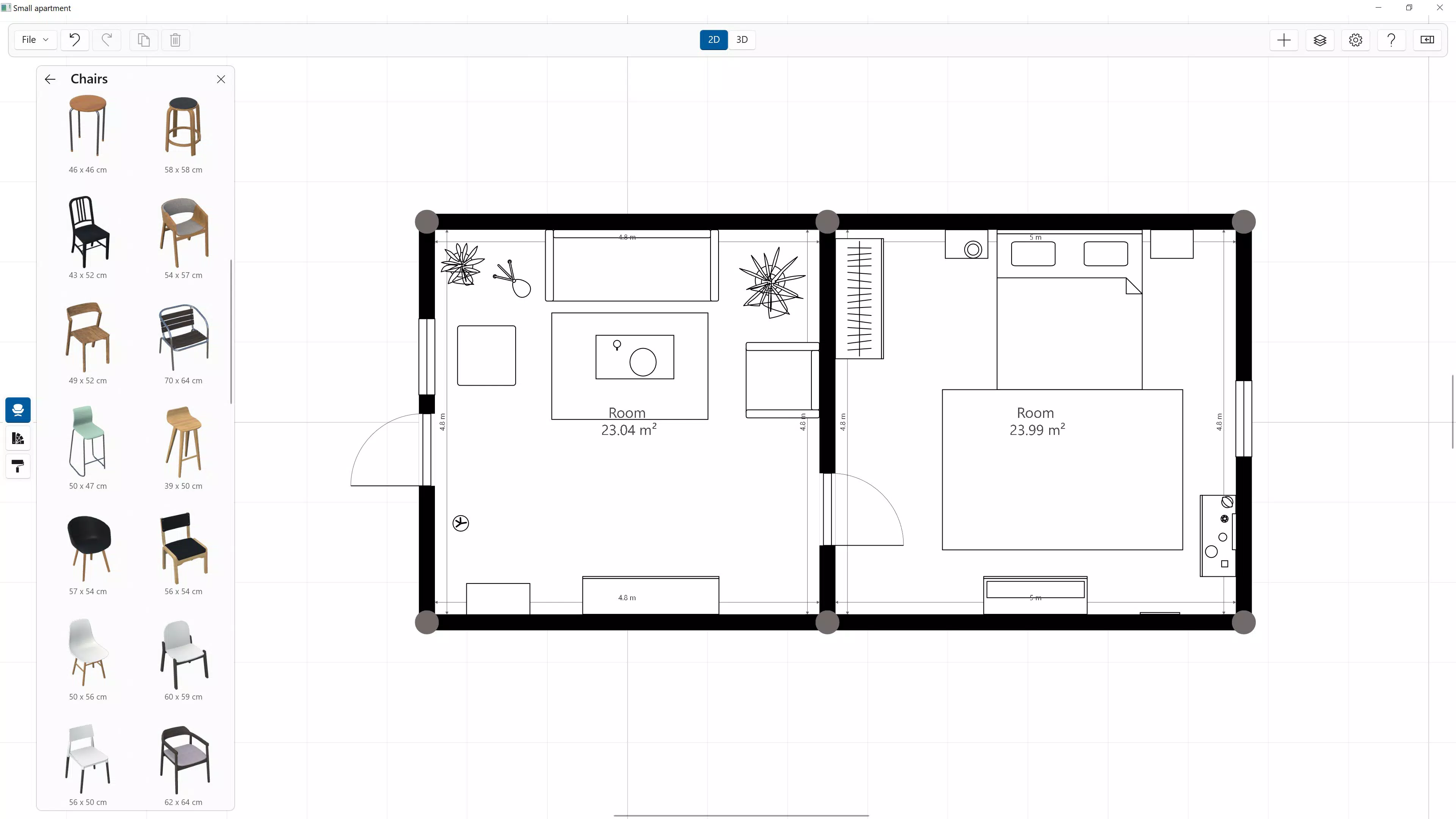
4Plan - Home Design Planner is a mobile application designed to assist users in conceptualizing and visualizing home renovation and interior design projects. The app enables users to create detailed 2D floor plans and view them in immersive 3D, offering a dynamic way to explore spatial arrangements before any physical work begins. Its primary purpose is to simplify the home design process for individuals who want to plan renovations, rearrange furniture, or redesign entire rooms without requiring professional design expertise. The app targets homeowners, renters, interior design enthusiasts, and DIY project planners who seek a digital tool to bring their vision to life.
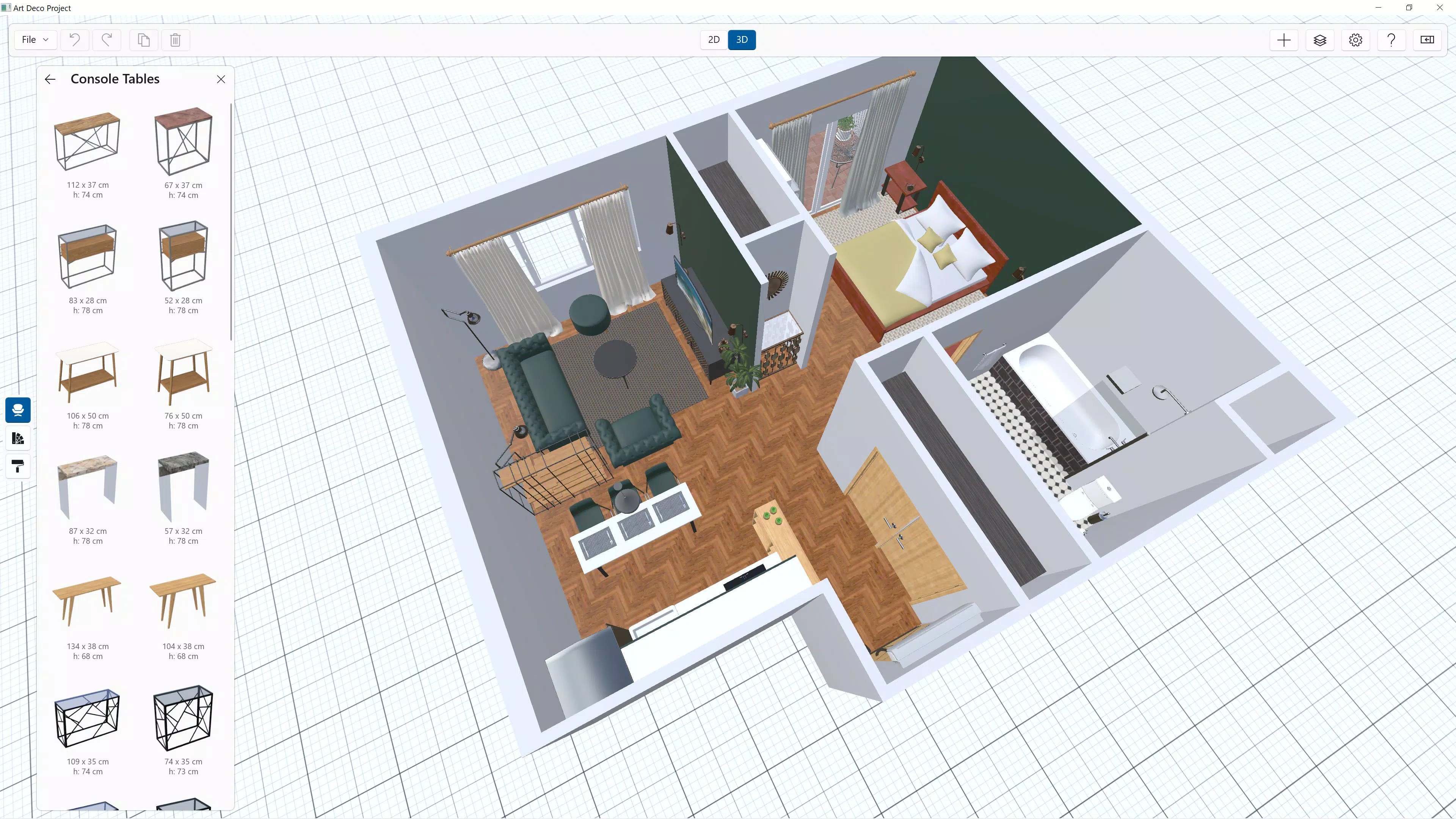
By integrating a vast catalog of furniture and materials, 4Plan supports creative customization, allowing users to experiment with different styles, dimensions, and layouts. This functionality is especially useful for planning kitchen remodels, bedroom makeovers, or whole-home redesigns. The app’s ability to toggle between 2D and 3D views enhances spatial understanding, helping users identify potential issues like poor traffic flow or awkward furniture placement early in the design phase.
Although the developer did not provide additional technical details about their background or company history, the app’s consistent release date of March 13, 2019, suggests a stable and maintained product. The presence of a free trial with premium subscription options indicates a user-centric approach to accessibility. In the broader app ecosystem, 4Plan fills a niche for intuitive, visual design tools that bridge the gap between casual users and professional-grade software, making it a valuable utility for modern smartphone users.
Key Features & Functionality
4Plan offers a suite of tools tailored to streamline the home design process, combining visual clarity with user control. The core functionality revolves around seamless switching between 2D and 3D views, enabling users to assess their designs from multiple perspectives. This feature is particularly beneficial when evaluating room proportions, window placements, or the flow between adjacent spaces. For example, a user planning a kitchen renovation can switch to 3D to visualize how a new island will fit in relation to appliances and walkways.
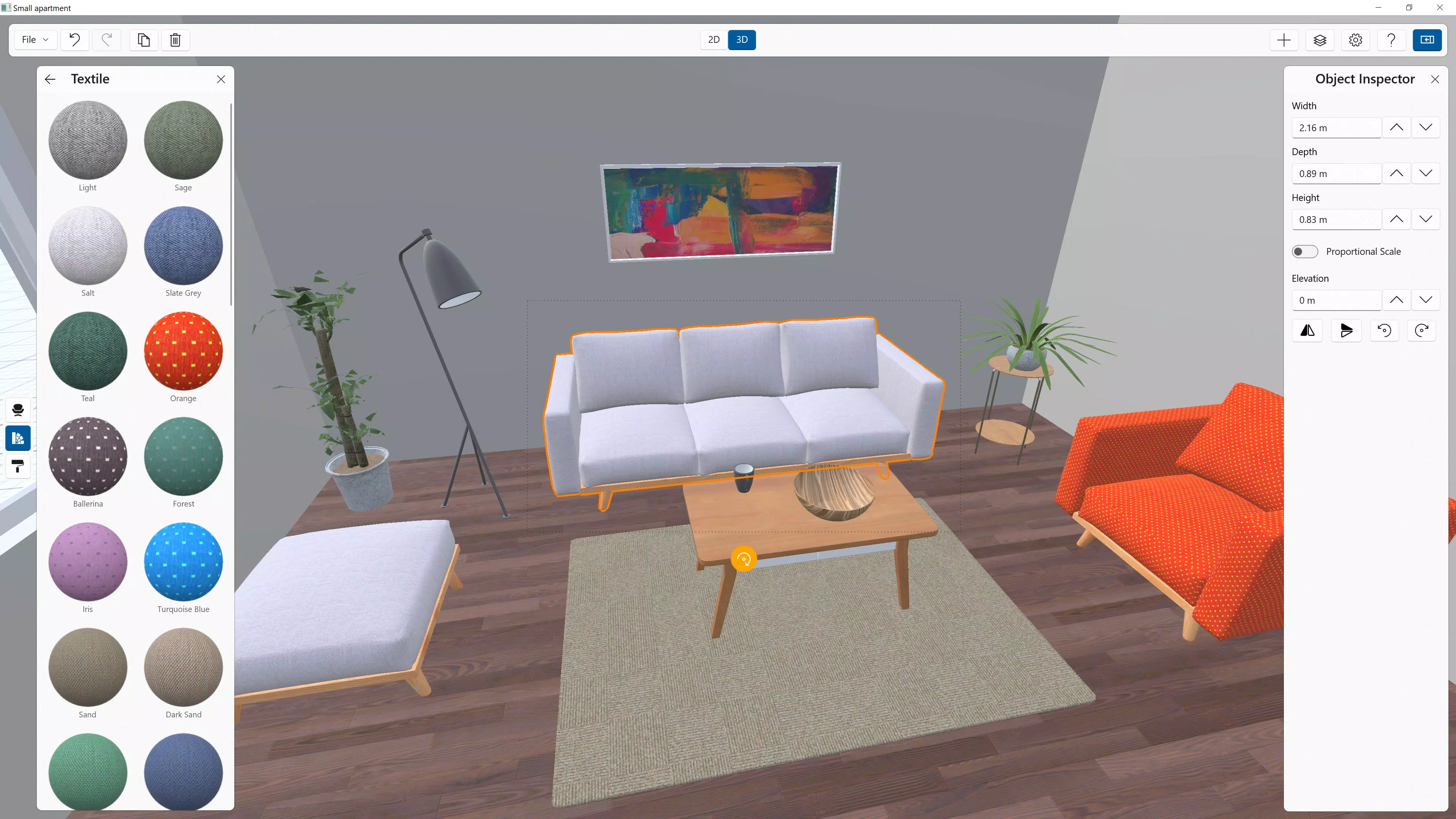
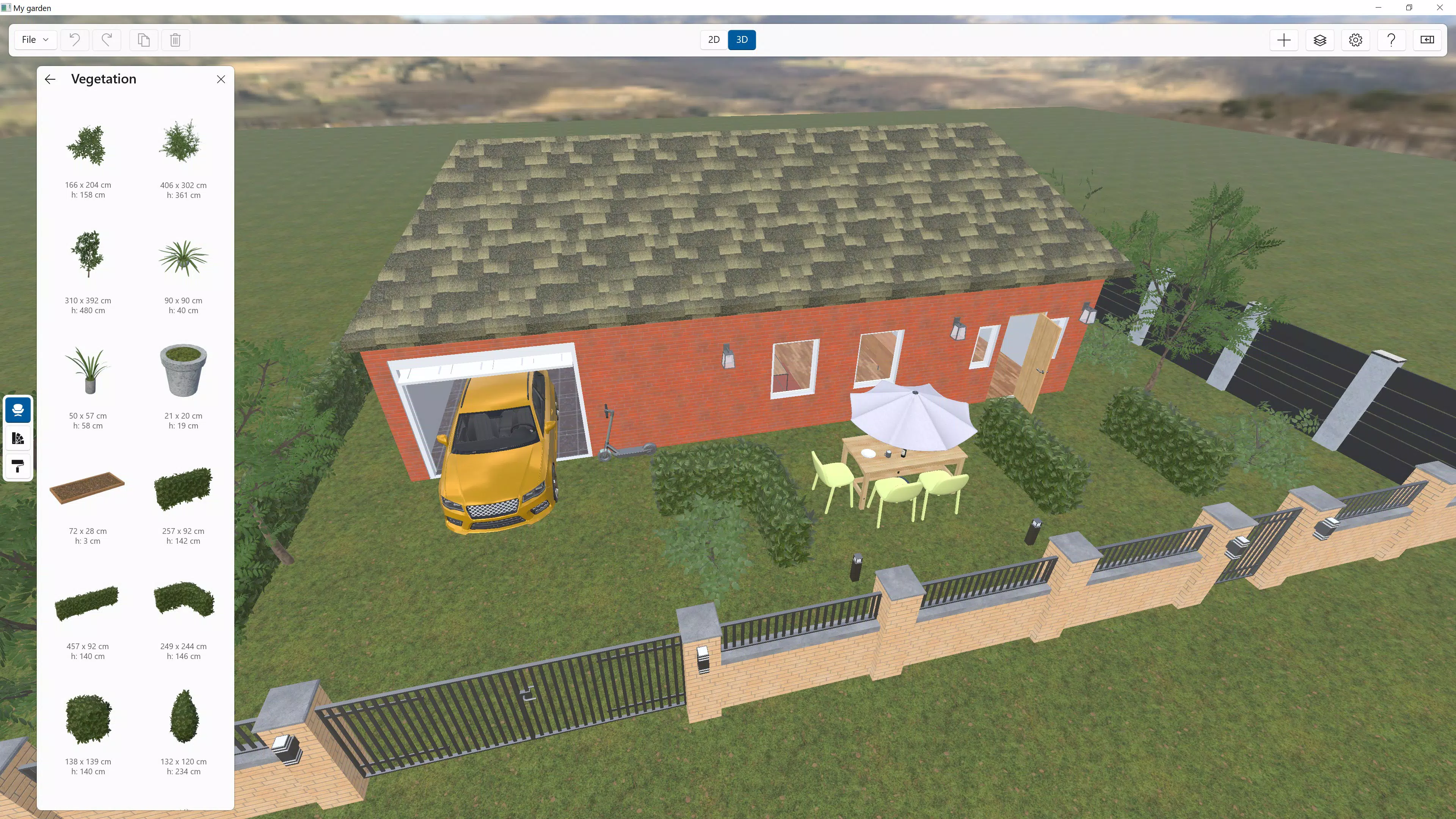
The extensive design catalog includes a wide variety of furniture and materials, allowing users to build customized rooms with realistic representations. Each item can be resized, repositioned, and styled to match personal preferences. This level of detail supports both small-scale adjustments—like choosing a new sofa—and large-scale transformations, such as redesigning an entire living area.
Designed with accessibility in mind, the app features intuitive controls and a beginner-friendly interface. Built-in tips guide users through the basics of drawing walls, placing furniture, and adjusting views. Customizable settings further enhance the experience, including unit preferences (imperial or metric), snapping options, and project naming. These features empower users to tailor the app to their workflow, whether they’re working on a quick layout or a complex multi-room project.
- Seamless 2D and 3D view toggling for spatial clarity
- Comprehensive library of furniture and materials
- Intuitive controls suitable for beginners and experts
- Customizable project settings (units, snapping, naming)
- Free trial with optional Premium subscription
Interface, UX & Performance
The user interface of 4Plan is designed with simplicity and functionality in mind, featuring a clean layout that prioritizes accessibility. Navigation is straightforward, with clearly labeled tools and a logical workflow for creating and editing designs. The visual style emphasizes clarity, using distinct icons and color-coded elements to differentiate between walls, furniture, and measurement tools.
Users can expect a responsive experience when drawing walls, placing objects, or switching between views. The app maintains smooth transitions between 2D and 3D modes, which is essential for maintaining immersion during the design process. Although the developer did not list formal performance metrics, the app’s ability to handle complex layouts suggests optimized rendering for modern devices.
Stability appears to be a strength, as the app supports ongoing project editing without frequent crashes or data loss. The interface adapts well to different screen sizes, ensuring usability across a range of smartphones and tablets. While specific device compatibility details were not disclosed, the app’s design implies broad support for current mobile hardware.
Overall, the user experience is enhanced by thoughtful design choices, such as context-sensitive menus and real-time feedback during adjustments. These elements contribute to a frictionless workflow, allowing users to focus on creativity rather than technical hurdles.
Platform Compatibility & Technical Requirements
4Plan - Home Design Planner is available on Windows devices, making it accessible to users who prefer desktop-based design tools. The app’s release date was March 13, 2019, indicating a long-standing presence in the design software market. The file size is not specified in the provided information, so users should be prepared for potential variations based on device storage and feature usage.
Compatibility with specific operating systems or minimum version requirements was not disclosed by the developer. As such, users are advised to check their device’s system specifications before installation. The app’s functionality on mobile platforms such as Android or iOS is not confirmed, limiting its accessibility to Windows users only.
Given the app’s focus on 2D and 3D visualization, it likely requires a device with adequate processing power and graphics support. However, no formal technical requirements were listed. Users should ensure their device meets general standards for running design applications, especially when working with detailed models.
Pros and Cons
Pros
- Seamless transition between 2D and 3D design views
- Extensive catalog of furniture and materials for customization
- Intuitive interface suitable for users of all skill levels
- Customizable settings for personal workflow preferences
- Free trial available with optional Premium upgrade
Cons
- Platform availability limited to Windows devices
- Specific OS and file size requirements not disclosed
- Compatibility with Android or iOS not confirmed
- No information on real-time collaboration or cloud sync
- Advanced features may require a paid subscription
FAQ
Is 4Plan available on Android or iOS?
The developer did not confirm availability on Android or iOS platforms. The app is currently known to be accessible on Windows devices.
Can I use 4Plan without a subscription?
Yes, 4Plan offers a free trial that allows users to explore core features. However, full access to the furniture catalog and premium tools may require a subscription.
Is the app secure to download and install?
While the developer did not provide specific security details, the app is available through official channels and has been in use since 2019, indicating a stable and secure release history.
Does 4Plan support cloud storage or project backup?
Information about cloud sync or backup functionality was not provided. Users are advised to manually save and store their projects.
How often is 4Plan updated?
As of the release date in 2019, no update frequency was specified. Users should check the app’s official page for the latest version and maintenance details.
Final Thoughts
4Plan - Home Design Planner stands out as a practical and visually engaging tool for anyone planning a home renovation or interior redesign. Its combination of 2D drafting and 3D visualization offers a balanced approach that’s both powerful and accessible. The extensive furniture catalog and customizable settings empower users to bring their creative ideas to life with precision and confidence.
While the app is currently limited to Windows devices, its intuitive interface and robust feature set make it a compelling choice for homeowners, DIYers, and design enthusiasts. The free trial model lowers the barrier to entry, allowing users to test the app before committing to a premium plan.
For those seeking a reliable, easy-to-use mobile app for home design planning, 4Plan delivers real value. Whether you're rearranging a single room or mapping out a full renovation, this tool provides the clarity and control needed to make informed decisions.
Download 4Plan now


